QR codes by use Payments
QR code for payments: Venmo, Cash App, PayPal and card links
Customers pay by scanning a code at the counter, on an invoice or at a market stall. The code only needs to open your payment link; the payment app does the rest.
Free and static: paste your link, download SVG or PNG, no sign-up, never expires. Want art, a link you can change later and scan counts? Make it an art code.
QR codes for payments: the facts
- What the code holds
- A payment link: venmo.com/u/yourname, cash.app/$yourtag, paypal.me/yourname, or a card checkout link from Stripe, Square or Shopify. The code holds no card or bank details, only the link.
- Print size
- 1.5 to 2 in on a counter card or invoice, 4 in on a market-stall sign.
- Scan distance
- At a counter customers scan from 1 to 2 ft; at a market stall from 3 to 4 ft.
- What breaks it
- Fake stickers: scammers paste their own code over real ones on meters and counters. Laminate your card, check it daily and put your business name next to the code so customers can confirm the name on the payment screen.
- Good to know
- Venmo and PayPal ask businesses to use a business profile, not a personal account, for sales. Business profiles charge a small fee per payment and give buyers purchase protection.
Make it art, tested to scan
We paint the code into a picture in your colours, then test it with three decoders under 16 print and phone conditions before you can download it.
Your codes outlive your subscription
Cancel and dynamic codes keep pointing at your last link. Read the promise.
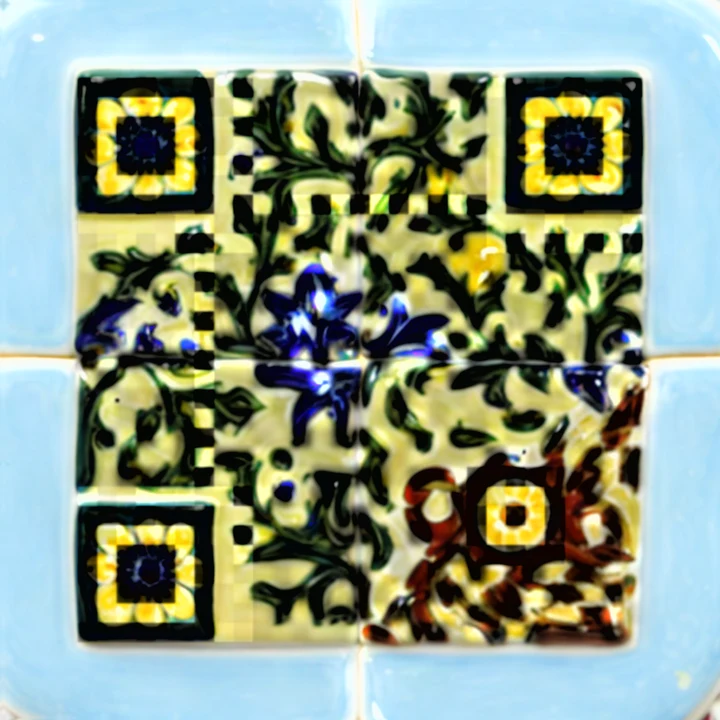
Blue Tile Bistro
Menu card for a restaurant, 2026
Tile mosaic artwork over a QR code, error correction H.
- Prints
- 1.25 in to 12 in
- Tested
- 10 of 10 core, 5 of 6 stress
- Opens
- the dinner menu
Questions
Is it safe to accept payments by QR code?
Yes: the code only opens your payment page and the customer confirms the name before paying. The main risk is someone covering your code with theirs, so laminate it and check it.
Which link should I use, Venmo, Cash App or a card link?
Use the one your customers already have. A card checkout link (Stripe, Square) works for everyone; Venmo and Cash App are quicker for people who use them.
Can the code ask for a set amount?
Some links can: Stripe and Square payment links are made for a fixed price, and PayPal.me links accept an amount at the end. Venmo and Cash App profile links let the customer type the amount.
Can I switch payment apps later?
With a dynamic code, yes. Point the printed card at a new payment link and nothing needs reprinting.
Related uses
Generators that fit
Dynamic codes, scan counts and AI art start at $9 a month. See pricing.